Browser-Based 3D Animation: What Can You Create Without Installing Software?
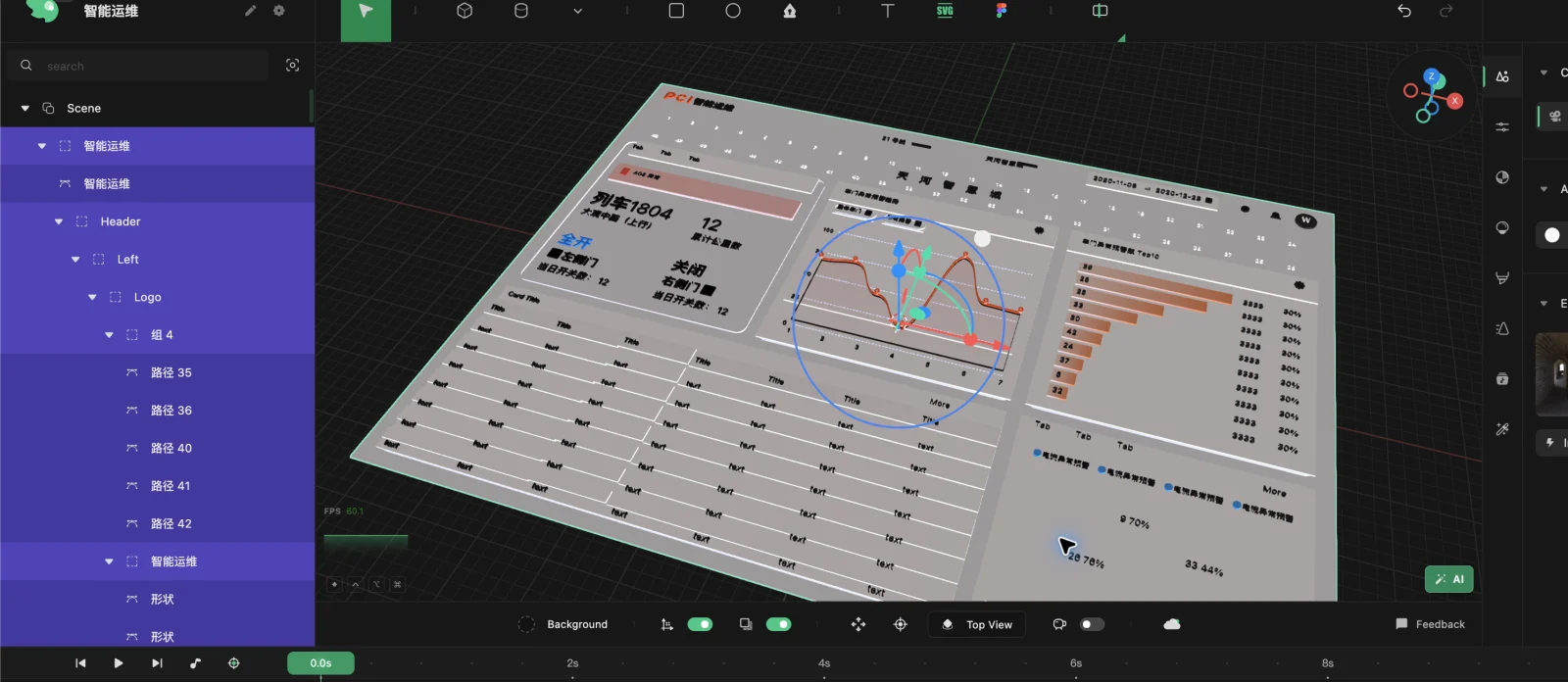
Browser-based 3D animation can now cover design import, modeling, materials, cameras, keyframes, rendering, and export. The right tool depends on whether the goal is an interactive scene, a finished visual, or a specialist production pipeline.
What Browser-Based Means
A browser 3D tool runs its main creative workflow in a web application rather than requiring a traditional desktop installation. Projects may still depend on account storage, local hardware, browser capabilities, and network access.
Modern browser graphics APIs make substantial real-time and rendered work possible, but “online” does not mean every computer will produce the same speed. Scene complexity, GPU support, memory, and output settings still matter.
What You Can Create
Practical browser 3D outputs include:
- Dimensional logo and typography animation.
- Product launch visuals.
- 3D device mockups.
- Spatial versions of Figma designs.
- Marketing loops and social video.
- Material and lighting studies.
- Rendered stills and frame sequences.
- Simple geometry prepared for physical output.
Some browser tools specialize in live interactive web experiences. Others, including Layer3D, focus on editable design-to-3D scenes and finished rendered output.
The Main Browser Workflows
Template generators
These are fast when the required result matches a preset. They usually trade structural control for speed.
Interactive scene builders
These focus on events, states, web embedding, and real-time visitor interaction. They are appropriate for interactive websites and configurators.
Design-to-3D production tools
Layer3D fits here. It starts from Figma, Sketch, MasterGo, text, shapes, or 3D forms, then connects editable geometry, materials, animation, cameras, rendering, and export.
Full browser modeling and animation suites
These aim to reproduce a wider desktop-style toolset. Their breadth may be useful, but it can also introduce a larger learning surface.
Where Layer3D Is Strong
Layer3D is useful when the source already contains valuable design work. Imported layers can become a spatial composition instead of being rebuilt in another application.
Its workflow includes editable topology, a non-destructive modifier stack, layered materials, transparent and frosted glass, camera and light control, keyframe animation, progressive WebGPU path tracing, denoising, post-processing, video output, frames, and basic 3D-print checks.
This combination is particularly relevant to graphic, brand, UI, product, and motion designers.
Where a Desktop Tool Still Makes Sense
Use a specialist desktop package when the project depends on advanced character rigging, large simulations, extensive scripting, a mature plugin ecosystem, complex compositing, or a studio pipeline built around specific file formats.
Browser-based tools reduce setup and handoffs; they do not eliminate every specialist requirement.
Hardware and Browser Considerations
For demanding scenes:
- Use an up-to-date browser with WebGPU support where available.
- Close memory-heavy tabs.
- Build and preview at moderate quality.
- Increase final render settings only after timing is approved.
- Keep source assets appropriately sized.
- Test the final output on the intended destination.
The browser removes installation friction, not the computational cost of 3D rendering.
How to Choose
Ask four questions:
- Does the source begin in Figma or another design tool?
- Does the result need real geometry or only a dimensional appearance?
- Is the output a video, image, model, or live interactive experience?
- Will the project need character, simulation, or deep compositing tools?
Layer3D is a strong match when an editable design needs to become a camera-directed 3D visual without a long multi-application pipeline.
Read What Is Layer3D? for the complete product boundary, or compare Layer3D and Spline for rendered versus interactive browser 3D.